Web3.0 — #4 Crypto Wallets
If you don’t have time to read but want to know what’s there in this post. Find the quick read 👇
A crypto wallet is a storage system for your digital assets like cryptocurrencies, NFTs, and more.
On this Post
In this post, we are going to look at the following Crypto wallets
What is a Crypto wallet and its types
How do you use a Crypto wallet
Setup your own wallet
1. What is a Crypto wallet
A crypto wallet is a storage system for your digital assets like cryptocurrencies, NFTs, and more. The contents of each crypto wallet can be accessed by a unique key made of a combination of letters and numbers explicitly assigned to the wallet’s creator (called a private key).
A crypto wallet’s public key is the public address of the user’s wallet. Think of it as a business address available publicly on the web. Anyone can use a wallet’s public key to look up and verify transaction information, however, personal information is not posted to the blockchain.
Unlike a normal wallet, which can hold actual cash, crypto wallets technically don’t store your crypto. Your holdings live on the blockchain, but can only be accessed using a private key. Your keys prove your ownership of your digital money and allow you to make transactions. If you lose your private keys, you lose access to your money.
Types of Crypto wallet
There are many forms of crypto wallets, with many options being available digitally like MetaMask, Coinbase Wallet, and Phantom wallet. While there are many options available as browser extensions and mobile apps.
A hot wallet is one of the most common ways to store crypto assets. It’s a very convenient option because it’s typically accessed via the web, mobile, or desktop. However, because hot wallets are always online, they are more vulnerable to attacks.
Unlike hot wallets, cold wallets are hardware devices that require physical input to unlock. While cold wallets aren’t as convenient and are less accessible due to costing a fee to purchase, they provide the best security, as no one can access their contents without interacting in person with the hardware wallet. Some popular cold storage options include Ledger and Trezor.
2. How do you use a Crypto wallet
Crypto wallets range from simple-to-use apps to more complex security solutions. The main types of wallets you can choose from include
Paper wallets
Hardware wallets
Online wallets
Paper wallets
Keys are written on a physical medium like paper and stored in a safe place. This, of course, makes using your crypto harder, because digital money can only be used on the internet.
Hardware wallets
Keys are stored in a thumb-drive device that is kept in a safe place and only connected to a computer when you want to use your crypto. The idea is to try to balance security and convenience.
Online wallets
Keys are stored in an app or other software — look for one that is protected by two-step encryption. This makes sending, receiving, and using your crypto as easy as using any online bank account, payment system, or brokerage.
3. Setup your own wallet
Download the Coinbase Wallet Chrome extension. You can find the link here.
Upon downloading the extension, a new tab should open where you’ll be guided through the wallet creation process. Be sure to select Create a new wallet and then follow the prompts.
This wallet will be used specifically for developing. This wallet should NOT be used to receive payments or send real $ to!
You should write down your recovery phrase and keep it safe as best practice, but if you lose this wallet, nothing will happen because this is strictly a development wallet.
Once you’ve created your wallet, click on the puzzle piece icon at the top right of your Chrome browser search bar. Pin the extension to your toolbar by clicking on the pin icon.
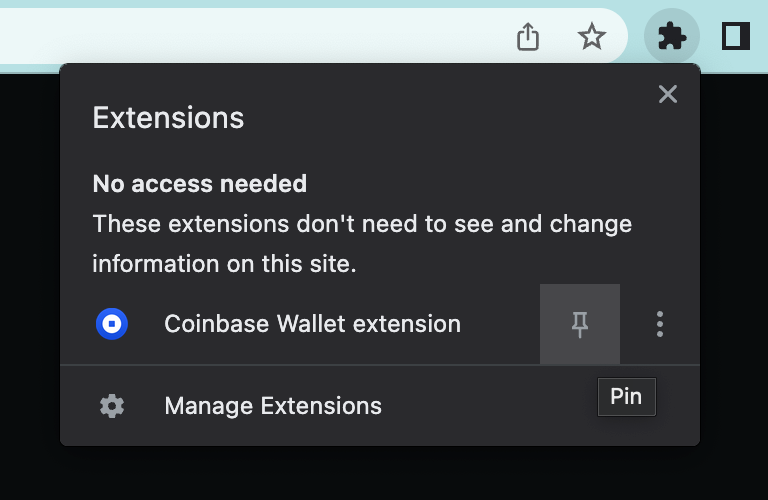
Coinbase wallet extension
- After you pin the extension, click on the vertical three-dot icon and then click “Manage Extension”.
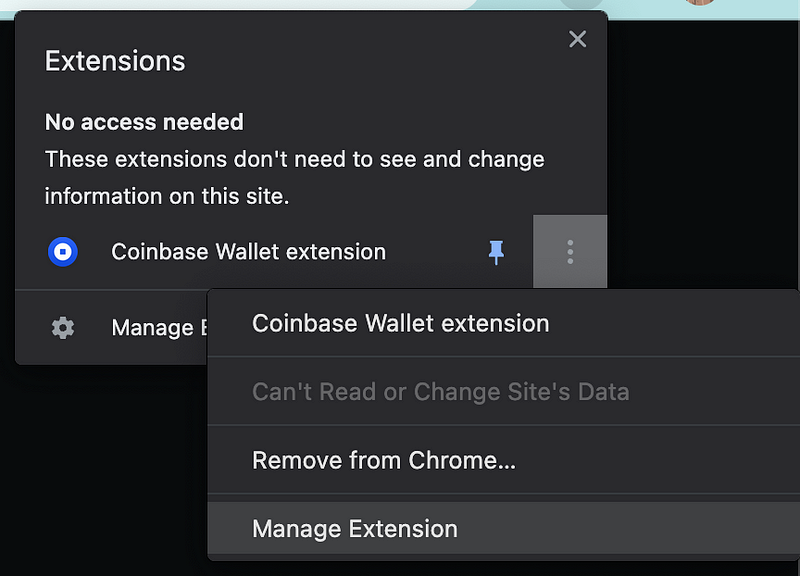
Coinbase Manage extension
This should lead you to a new tab where you can manage extensions. In the top right corner, toggle Developer mode to be ON.

wallet extension
Click on the Coinbase Wallet extension icon to interact with your wallet. Click the Settings icon and then click on “Default network”.
Scroll down the list of networks until you see the option to Enable testnets. Toggle Enable testnets to be ON.
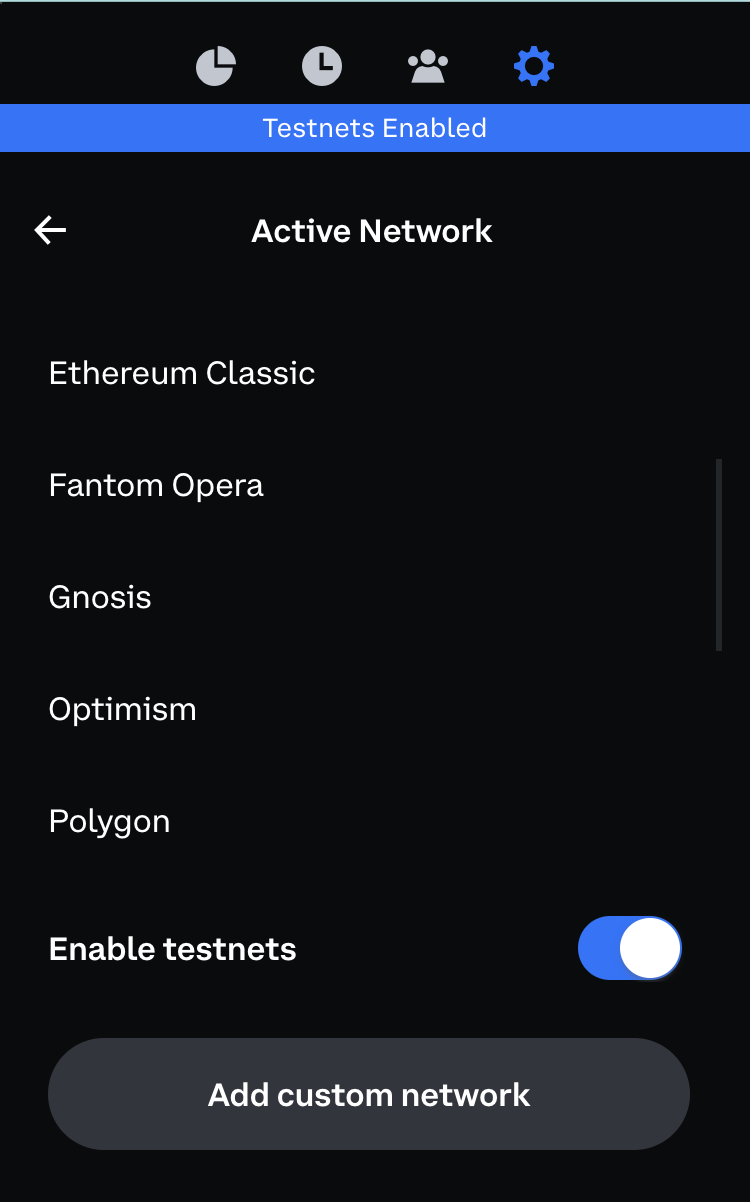
Test nets
- Enabling testnets should have expanded the list of networks. Scroll down the list of Testnets to find Polygon Mumbai. Select Polygon Mumbai as your default network.
Congratulations!!!
You have learned the basics of Crypto wallets, their types, and how to set up a crypto wallet for development purposes.
Will catch up in a new post with more interesting crafts till then Happy Learning :)
Comments
Join the discussionNo comments yet. Be the first to comment.