Conversational Actions — Scenes
Source: Nidhinkumar
Overview
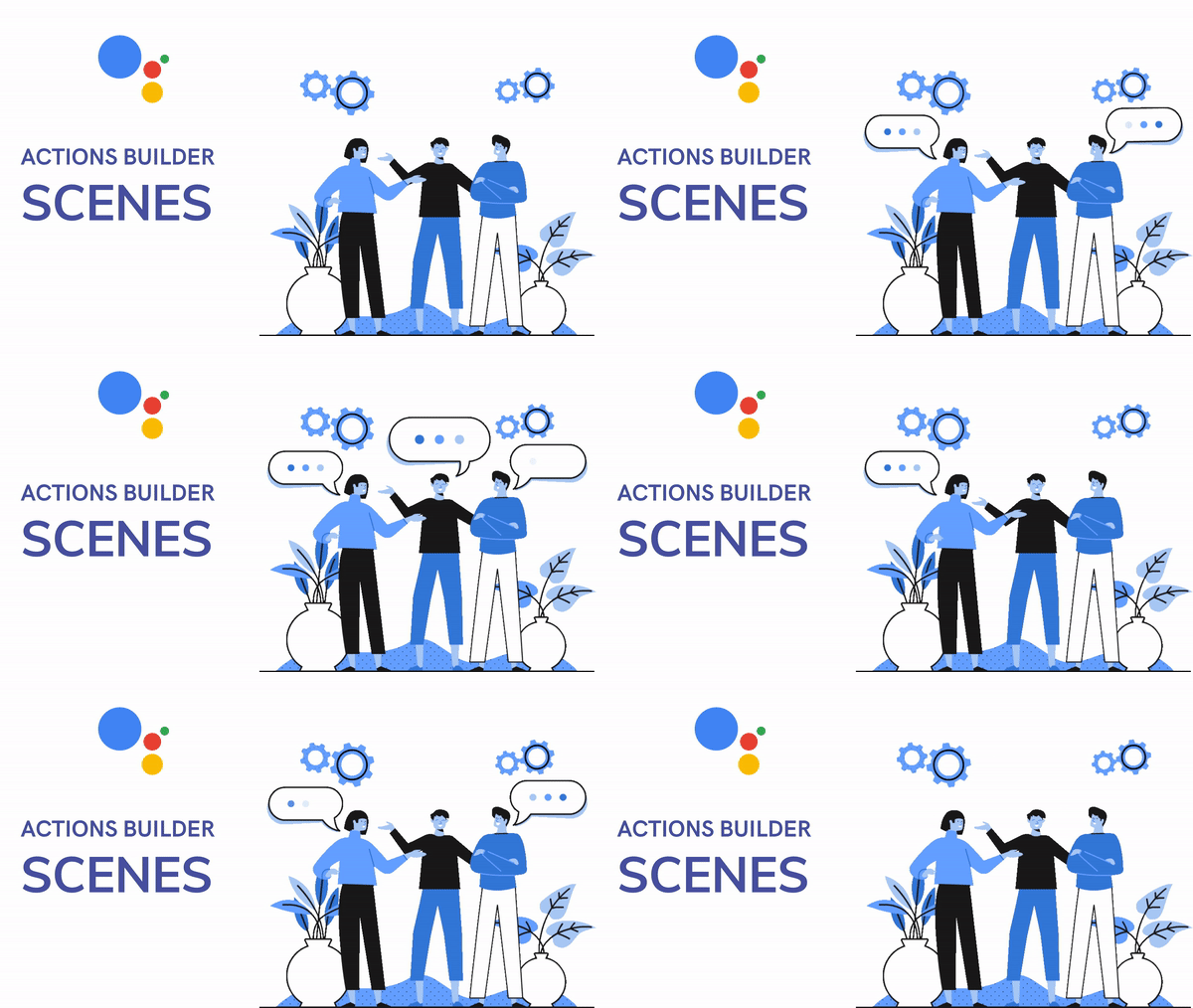
Google Assistant team has introduced a suite of new and improved developer options to create conversational actions. We will look about scenes in the new Actions Builder
Objectives
- What is Google Assistant
- What’s new in developer tools
- What are Scenes
- Features of Scenes
- Custom Scenes
- Execution Lifecycle
- System Scenes
1. What is Google Assistant
Google Assistant is a personal voice assistant that offers a host of actions and integrations. From sending texts and setting reminders, to ordering coffee and playing music, the 1 million+ actions available suit a wide range of voice command needs.
2. What’s new in developer tools
The assistant team has introduced the two new developer tools
- Actions Builder
- Actions SDK
Actions Builder
Actions Builder is a web-based IDE that lets you develop, test, and deploy actions directly in the Actions console. The new builder lets you visualize the conversational flow, manage Natural Language Understanding (NLU) training data.
Actions SDK
For those of you who prefer local IDEs, the updated Actions SDK provides a file-based representation of your Actions project. This lets you author NLU training data and conversational flows locally as well as bulk import and export training data.
3. What are Scenes
Scenes are major building blocks of conversation models. Scenes represent individual states of your conversation and their main purpose is to organize your conversation into logical chunks, execute tasks, and return prompts to users.
Scenes are similar to a movie where multiple scenes are combined together. You can connect several scenes together to create a user journey with each scene containing its logic.
4. Features of Scenes
Features of Scenes include
- Looped execution
- Dialog separation
- Intent match scoping
- Slot filling
- In-scene conditions
Looped execution
Scenes execute within a loop until it meets transition criteria that you define

Source: Behance
If you look at the above character it keeps walking but if we look deep the animation is in the loop which makes the character seems to be walking
Dialog separation
In combination with intents, scenes let you group dialogs into logical chunks, giving you easy ways to build user request and Action response pairs
Intent match scoping
Since only one scene can be active at a time, you can scope intent matching to scenes of your choice and have them match only when those scenes are active
Slot filling
You can use slot filling within a scene to collect multiple pieces of typed user input, without having to create multiple intents
In-scene conditions
You can check slots, session, user and home storage to carry out simple, conditional logic without triggering a webhook
5.Custom Scenes
A custom scene is a building block of conversational logic that forms a part of your Action’s conversation model.
Stages of Scenes
- Activation
- Execution
- Transition
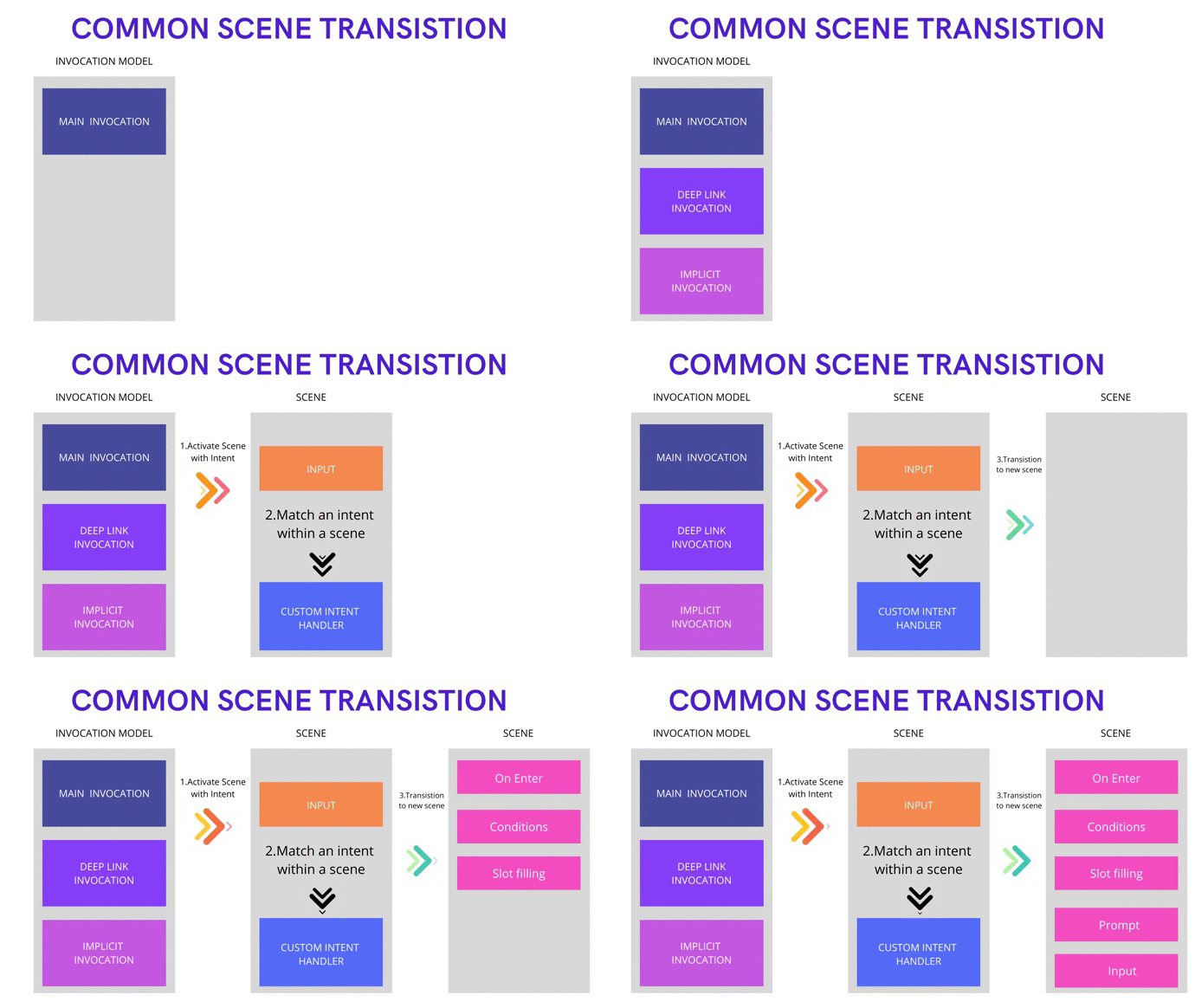
Source: Nidhinkumar
Activation
- Scenes are activated through scene transition
- It can happen during Intent match events (Invocation) or Conditional events
Execution
- After activation, a scene executes with a well-defined lifecycle, which includes stages like conditional checking, slot filling, input consumption, and prompt generation
- A scene executes in a loop until it meets some transition criteria that we define
Transition
- A scene can transition to another scene or to a special End conversation system scene, which ends the conversation with the user.
6. Execution Lifecycle
When a scene is active, it executes within a well-defined lifecycle that loops until the scene meets the transition criteria that you set. A scene’s execution lifecycle is separated into optional stages that run in the following order
- On enter
- Conditions
- Slot filling
- Prompts
- Input
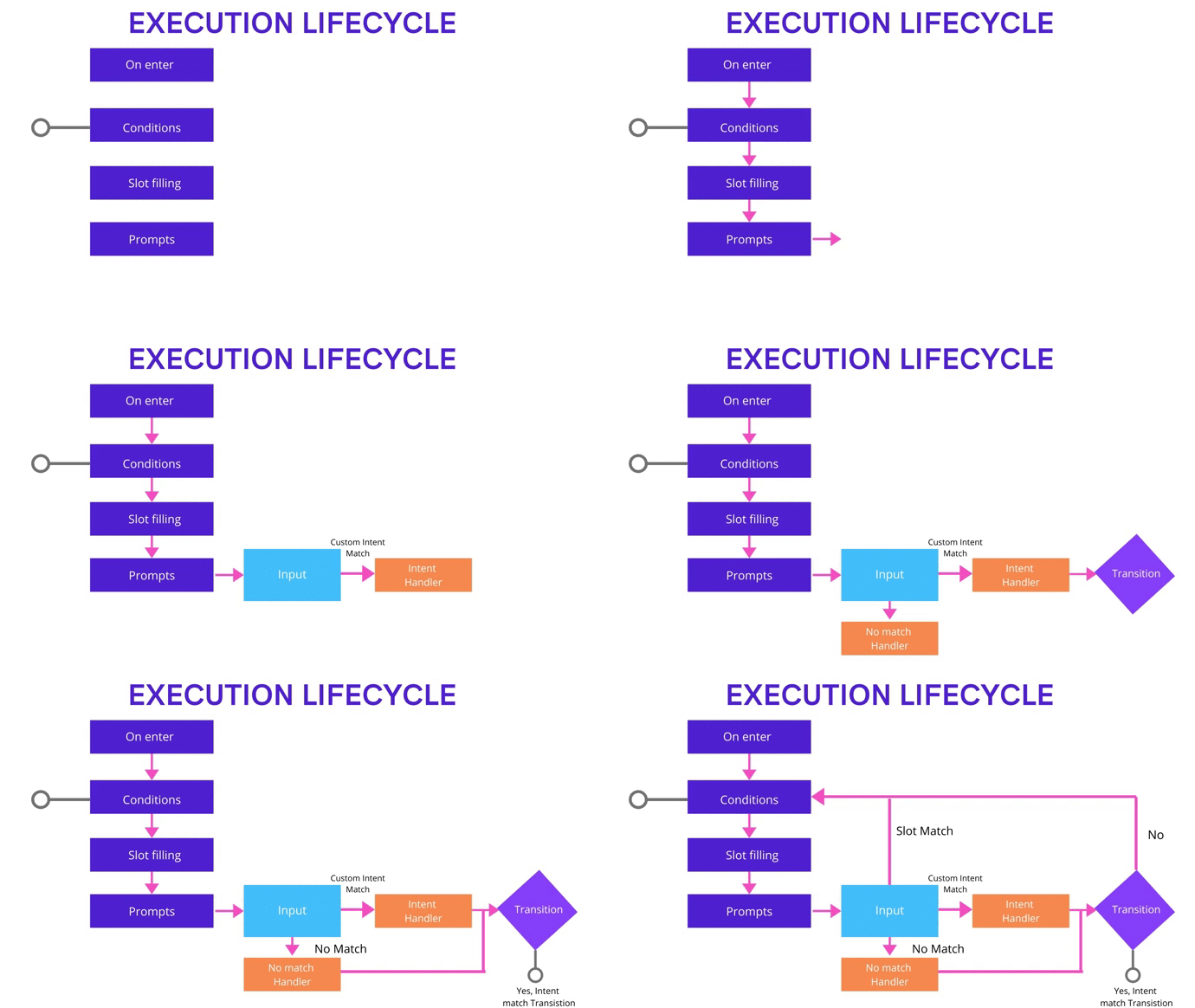
Source: Nidhinkumar
On enter
This stage runs only once when a scene is activated. You can trigger a webhook or prompt the user to do a one-time setup of your scene.
Conditions
- Conditions are defined by us and once the condition is met (we can trigger a webhook event or a prompt)
- We can have transitions in the conditions which will end this lifecycle and if there is no transition it will move to the next stage that is SlotFilling
Slot filling
- Slot filling is a way to get particular data from the user (It is similar like filling a form)
- If a scene has a slot filled that has not been filled it can trigger a webhook event and add a prompt to the prompt queue
- If there are multiple slots to be filled only the first will be processed based on its completion the second one will be taken
Prompts
Assistant delivers the prompt queue to the user and clears the queue. The prompt queue is the merged collection of prompts that were aggregated since the last time this stage cleared the queue.
Input
- Assistant consumes and returns user input to your scene, so you can process it, which might include intent matching (global intents or custom intents within a scene), continuing slot filling (if it isn’t complete), or handling no match or no input errors.
- This stage can define transition criteria to exit the execution loop. If it doesn’t transition, the execution loop returns to the condition's stage.
7. System Scenes
System scenes let you use the built-in, conversational logic provided by Assistant, which lets you add standard conversational flows to your user experience.
Supported System scenes
- End conversation
- Account linking
- Daily updates
- Notifications
End conversation
Closes the mic and ends the conversation with the user
Account linking
Guides the user through an account linking flow and provides your Actions the required information to link the user’s account on backend servers with the user’s Google account.
Daily updates
Guides the user through a confirmation flow to add your Actions to a user’s daily updates
Notifications
Guides the user through a confirmation flow to receive notifications from your Actions.
Congratulations
You have learned some of the core concepts of Scenes. I am excited to see what you are going to build with the new Actions Builder
Happy Learning :)
Comments
Join the discussionNo comments yet. Be the first to comment.